FreelanceOSTax for UK freelancers.

Taxes just got easier.

Get ready for Making Tax Digital.
Get your figures together for Self Assessment.

Free to download. See plans and pricing

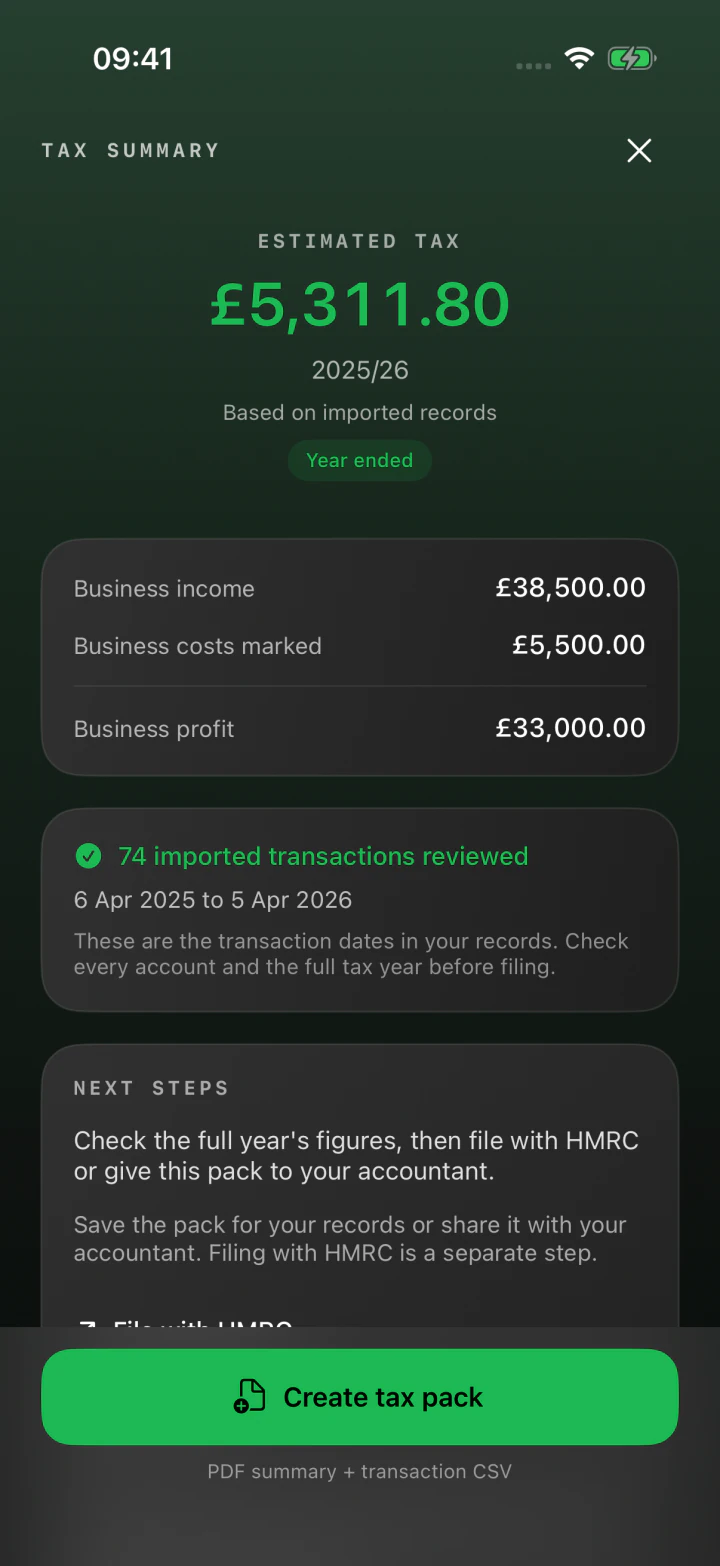
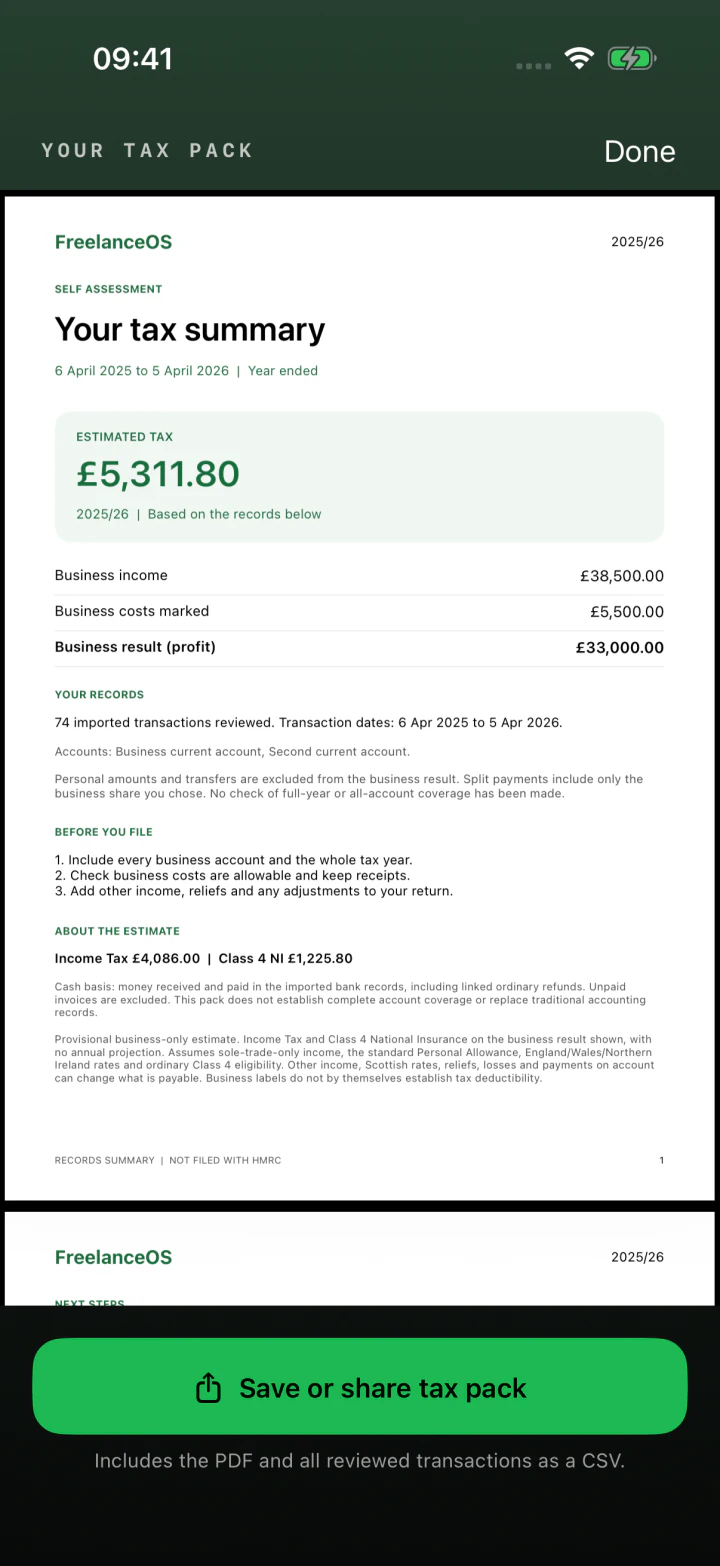
Tax estimate based on imported records
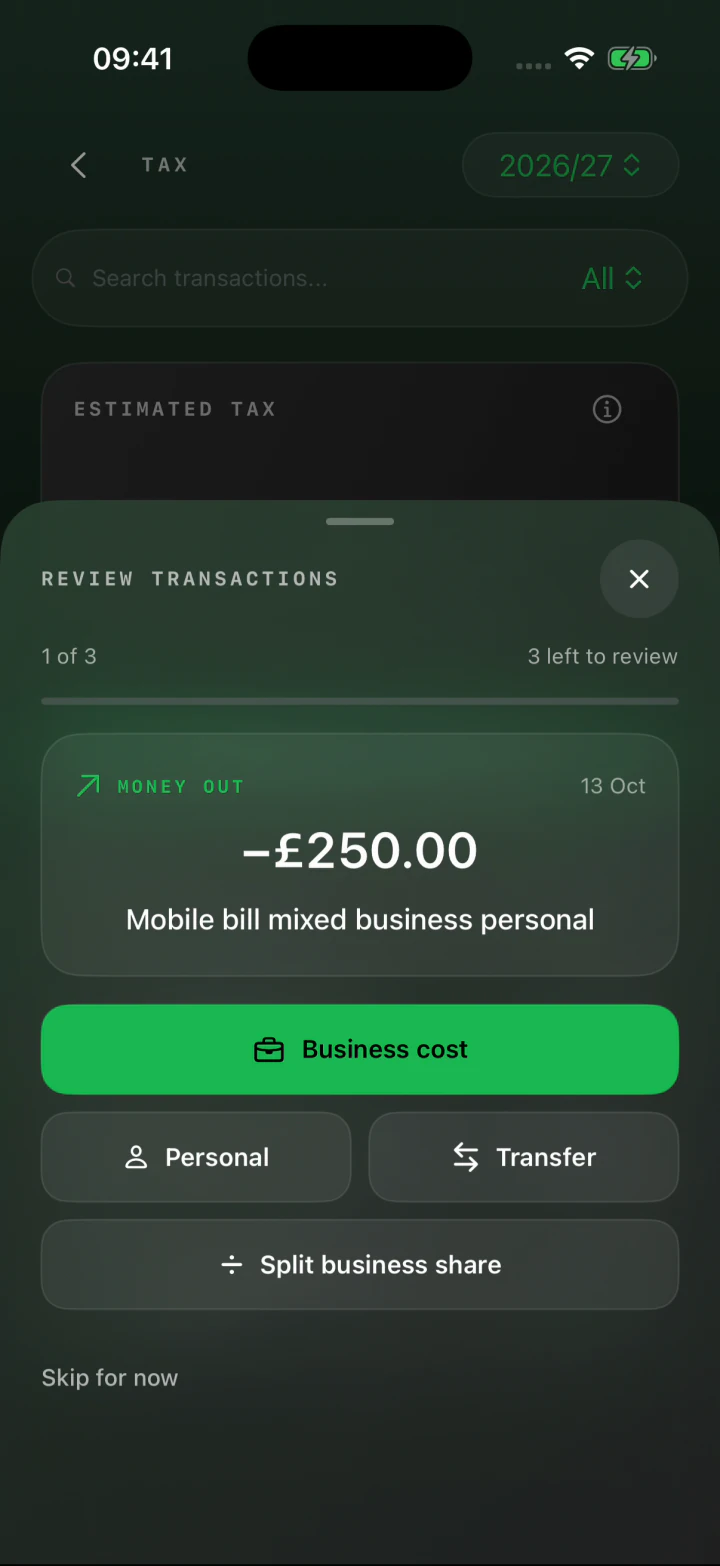
Reviewing a transaction on iPhone
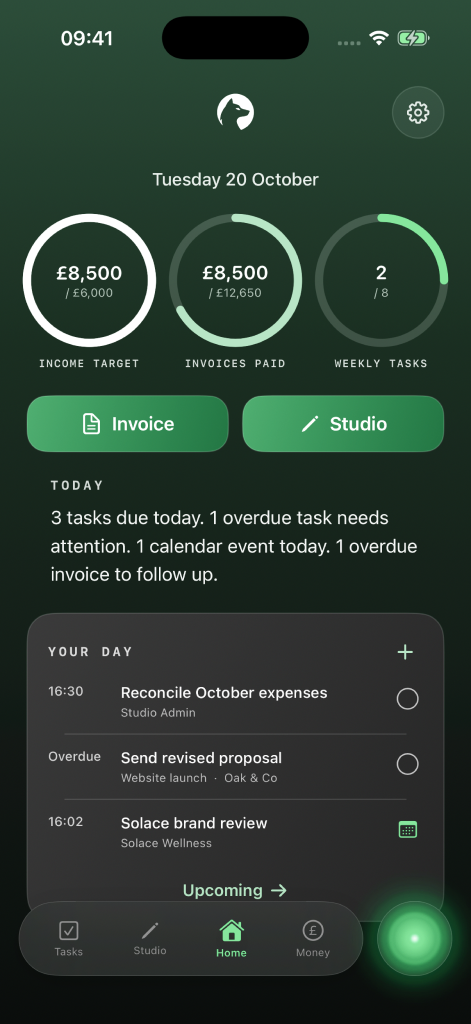
FreelanceOS Home showing income goals, paid invoices and today’s tasks

FreelanceOS for iPhone, Mac and web.

A client’s just paid.
What can you set aside?

That payment might need to cover rent, a quiet week and your tax bill. See an estimate based on what you’ve earned and spent, then decide how much to put aside.

BANK STATEMENTS

Start with your
bank statement.

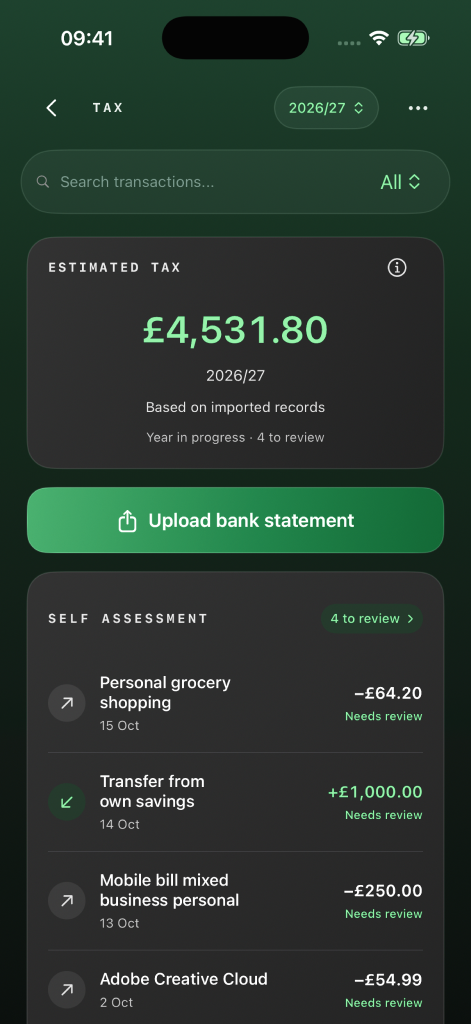
The Tax screen with the bank statement upload and estimate
Explore statement import
EXPENSES

Separate business
from personal.

Reviewing business expenses on iPhone
Explore expense review
TAX ESTIMATE

See what to
set aside.

A tax-year summary with estimated tax, income, costs and profit
Explore the tax estimate
YOUR TAX RECORDS

Keep a copy of
your tax records.

A PDF summary of the tax year with a button to save or share it
Explore the tax records

Your records, ready for
Self Assessment.

FreelanceOS helps you prepare your records. When it’s time for Self Assessment, you can see what you earned, what you spent and where each figure came from.

Explore the Self Assessment guide
01

Start with a bank statement

Bring in a statement and pick a payment you recognise. Match it to the client or job while it’s fresh in your mind.

02

Keep track of business expenses

Work through purchases a few at a time. Give each business expense a category so you can find it again at year end.

03

Check your figures for the year

Review your business income, costs and profit together. If a total looks unfamiliar, go back to the payments behind it.

Does Making Tax Digital
apply to me?

HMRC looks at your combined income from self-employment and property before expenses. Your start date depends on the amount and the tax year it came from.

  • 6 April 2026 Over £50,000 in 2024/25
  • 6 April 2027 Over £30,000 in 2025/26
  • 6 April 2028 Over £20,000 in 2026/27
Read the Making Tax Digital guide

This guide assumes your income is similar across the tax years shown. If it changed, check the figure on each return. Exemptions can apply.

Check your circumstances on GOV.UK
Start now

Which job was
that payment for?

A bank statement might give you little more than a date and an amount. Keep the client, project and invoice together so you can trace a payment back to the job you remember.

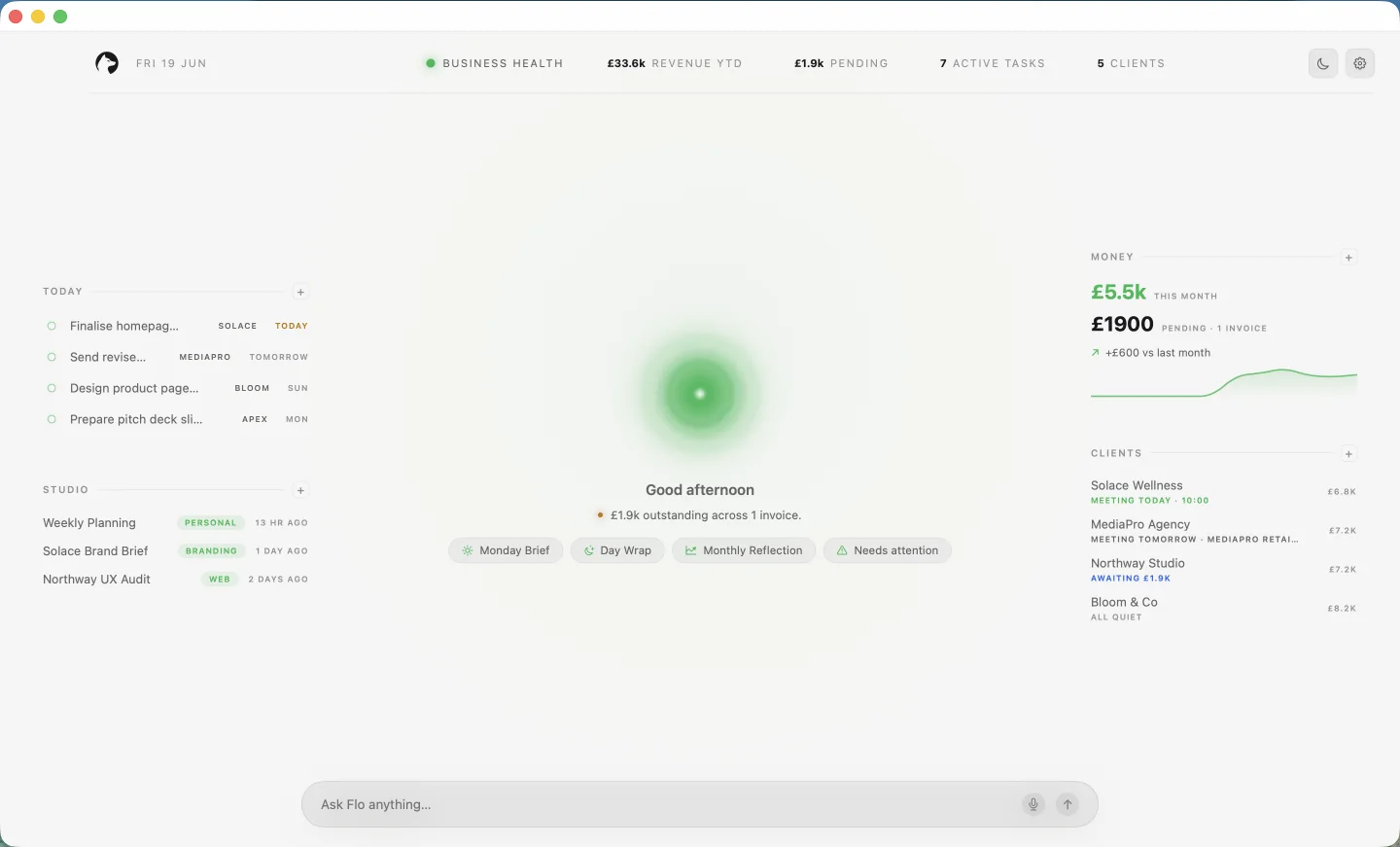
Clients, projects and invoices in the FreelanceOS Mac workspace

Start free.
Go further with Pro.

Start with the free iPhone workspace. The Pro plan adds tax-record tools and higher limits for client work.

Full pricing details ↗
FreelanceOS · Free iPhone plan
£0/ month

A clear place to begin.

  • Five active clients
  • Three new invoices per UTC calendar month
  • Core workspace records across supported devices
  • Optional iPhone Pro: £4.99/month or £29.99/year in the UK
1% when you're paid through an invoice link.

Stripe processing fees apply separately.

On a £1,000 client payment£10 FreelanceOS fee
Get the iPhone app

A few things you
might be wondering.

Talk to us ↗
Do I need to use Making Tax Digital?

It depends on your qualifying income and circumstances. Use the income checker to see how your income affects your start date.

How does FreelanceOS help with Self Assessment?

You can bring in a bank statement, organise your business expenses and save a summary of the year’s figures. See how to prepare.

Can I do this without an accountant?

Yes. Start with an account you use for work. You can organise your business income and expenses yourself, one statement at a time.

I’ve let my records pile up. Where do I start?

Start with one bank statement for the tax year. Find a payment you recognise, mark what it was for and work through the rest a little at a time. You can come back to the same review later.

What does “free” include?

The free iPhone plan includes five active clients and three new invoices per UTC calendar month. Optional Pro is £4.99/month or £29.99/year in the UK and unlocks higher workspace limits and tax-record tools. A 1% FreelanceOS fee and separate Stripe processing fees apply to invoice-link payments on both plans. Read the full pricing details.

Can I use it on my phone and computer?

Yes. Use FreelanceOS on iPhone, Mac or the web. Your clients, projects and invoices sync across supported devices. Find FreelanceOS for your device.

Where can I find help and privacy information?

Visit our help page, contact us, or read the privacy policy for details about your data.

Start with your
latest payment.

Get the iPhone app

Free to download. Optional Pro. Invoice payment fees apply. See pricing